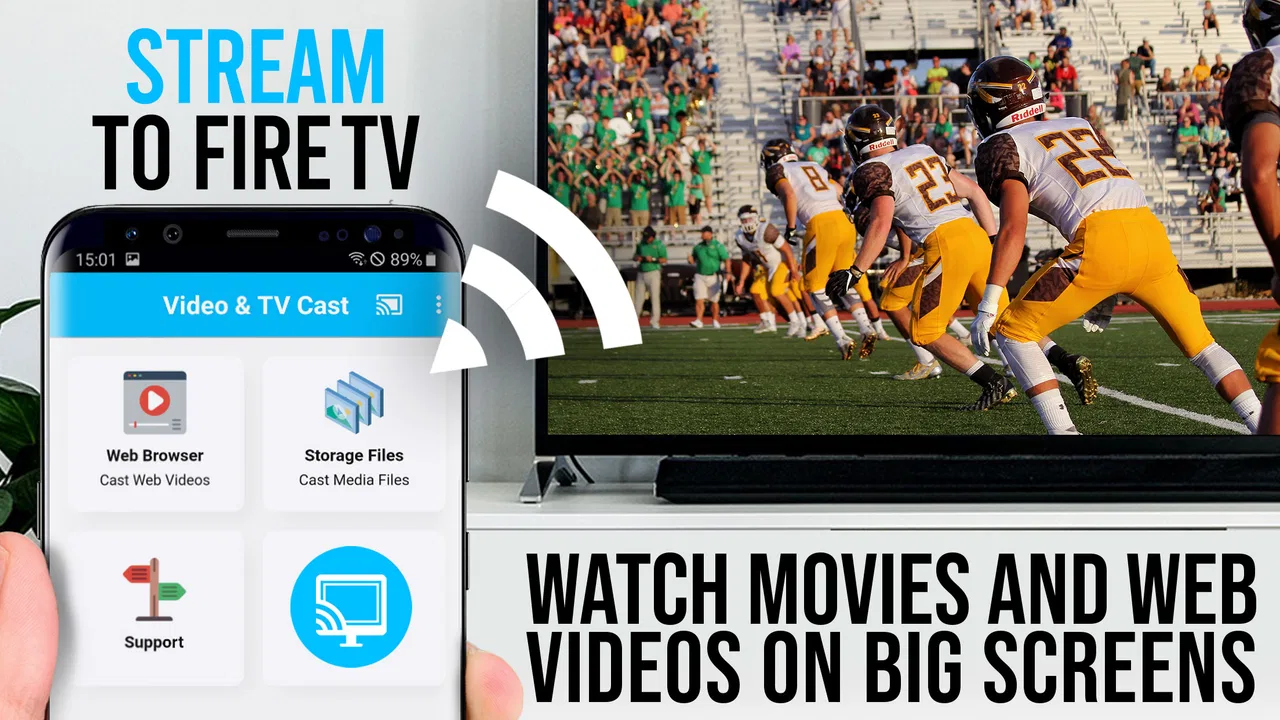
TV Cast Pro for Fire TV
- 4.1
- Rating
- 100.00K
- Installs
- $6.99
- Price

 Analysis by App-foxy
When I want to watch a web video on a television rather than huddle around a phone, the most useful idea in TV Cast Pro for Fire TV is simple: it gives the TV a browser-oriented way to reach web videos, online movies, and livestreams. That sounds modest, but it solves a very specific problem. Many things I find online are not available in a dedicated television app, and opening them on a phone is rarely the viewing experience I actually want.
This is a paid video player and editor app from 2kit consulting, listed at $6.99, with an Everyone content rating. It has been available since November 15, 2016, and the current version is 2.47. I see it as a practical tool rather than a replacement for every streaming service. Its value depends on how often I need to move browser-based video from a smaller screen to Fire TV.
Turning web video into a television viewing experience
The app’s central capability is its browser approach. Instead of limiting me to services with their own Fire TV applications, it is designed around finding web content and sending that viewing experience to the television. That distinction matters when a video is hosted on a site I do not normally use, when an event is available through a web page, or when an online movie is presented outside the usual subscription platforms.
You May Also Like

 Blood Strike: 2.5 Anniversary
Blood Strike’s Loadouts Turn Every Drop Into a Tactical Gamble
A close look at Blood Strike’s custom loadouts: how fast access to signature weapons reshapes its battle royale rhythm, rewards preparation, and narrows the gap between fights.

 Pandora - Music & Podcasts
Pandora’s Music Is Easy to Start, but Harder to Recover
Pandora’s strength is its low-effort path from a seed to a station. Its weak spot is how much confidence it asks you to place in connection, setup, and quiet recovery.

 8 Ball Pool
 Is Built on Rivalries, Rematches, and Routine
A close look at the rivalries, rematches, shared routines, and unanswered safety questions that turn a quick pool match into a persistent mobile community.

 Samsung Music
’s Quiet Strength Is Playing What You Already Own
Its reach comes less from spectacle than from dependable access to a personal library. That simplicity is both the app’s strongest retention engine and its ceiling.

 AccuWeather: Weather Radar
AccuWeather Review: A Quick, Clear Forecast for Everyday Decisions
For everyday plans, the best forecast is the one you can understand quickly. AccuWeather makes rain timing, radar, and local conditions easy to act on, with a few trade-offs.

 Hill Climb Racing
Why Hill Climb Racing Still Turns Crashes Into One More Run
A tiny car, a bumpy hill and one more upgrade: Hill Climb Racing keeps resurfacing because its simple chaos makes every near-miss feel personal.
More From Our News Desk
View All News


In everyday use, I would begin on the phone by opening the web content through the app’s browsing interface. The useful part is not merely locating a page; it is identifying the video on that page and choosing it for television playback. Once the content is recognized, the phone becomes more of a controller and discovery tool, while the Fire TV becomes the place where I actually watch.
The real benefit is access, not magic image improvement. A web video does not become a professionally produced television stream just because it appears on a larger screen. The experience still depends on the source, the connection, and how well that particular page exposes its video. What the app contributes is a bridge between web-based viewing and the living-room screen.
That makes the product more focused than a general-purpose media center. I would not install it expecting a large built-in catalog, a recommendation engine, or a replacement for a service such as a mainstream streaming application. I would install it because the browser is the starting point and the television is the destination.
What the browser-first approach changes
With a normal mobile browser, I can often watch a clip, but the phone remains central to the whole session. I have to hold it, keep the page available, and accept a small display. With a dedicated television application, the opposite problem appears: the service must already have a Fire TV app. TV Cast Pro sits between those choices.
I find that especially helpful for occasional sources. A local organization might publish a live event on its website, an independent creator might host a film outside a major platform, or a news page might embed a stream that I want to view from the sofa. The app is useful precisely because these situations do not fit neatly into a standard app library.
There is also a practical difference between casting a whole phone screen and sending a web video for playback. Screen mirroring keeps the phone’s interface visible and ties the result closely to whatever happens on the handset. A browser-based casting workflow is cleaner when the goal is simply to watch a web video. I would choose this approach when I want to browse, select, and then put the phone down rather than mirror every tap.
That said, I would not assume every page behaves identically. Websites use different players, layouts, login systems, and delivery methods. The app’s browser can make many web-based viewing situations more convenient, but it cannot make an incompatible or poorly designed source behave like a native television service. That is an important expectation to set before paying for it.
How I would use it from discovery to playback
My preferred workflow is to search for the content first, open the relevant page in the app, and look for the video rather than trying to force an entire website onto the television. This keeps the phone useful for reading titles and checking context while reserving the larger display for the actual video. It also reduces the frustration of navigating a desktop-style page with a remote control.
For a livestream, I would connect before the event begins and test the page early. Live pages can change shortly before a broadcast, and a last-minute setup leaves little time to deal with a source that does not expose its stream cleanly. For a long movie, I would similarly confirm that the video starts properly before settling in. These habits are not glamorous, but they make a browser-based setup much less stressful.
Another useful habit is to treat the phone as a remote browsing surface, not as the playback screen. Once the video is on Fire TV, I would avoid switching between unrelated pages or closing the relevant session until I know the television is playing reliably. The exact behavior can vary by source, so a little patience at the beginning is worthwhile.
For family viewing, I would prepare the content myself before handing over control. A web page can contain menus, advertisements, comments, or unrelated recommendations that are awkward to navigate from the couch. Finding the intended video on the phone first makes the experience more direct and avoids asking other viewers to watch me search through a website on the television.
The same approach works well for presentations and reference material. If I need to show a tutorial, a recorded talk, or a visual demonstration to several people, the larger screen is more comfortable than passing a phone around. I would still check the page beforehand, because the usefulness of the session depends on the video being accessible rather than merely visible in a search result.
The strongest everyday scenario: an online event outside the usual apps
The clearest use case for me is an evening event hosted on a website rather than inside a familiar streaming application. Imagine finding a livestream page for a community performance or an online lecture. On a phone, I can watch it, but the small display makes a shared experience feel cramped. On Fire TV, the event becomes something everyone in the room can follow.
I would open the event page in the app well before the start time, select the video, and leave the phone nearby for basic control. If the page includes several video elements, I would choose the actual live player rather than an advertisement or preview. This is one of the less obvious advantages of doing the discovery on the phone: I can inspect the page carefully before committing the living-room screen to it.
The trade-off is that this is not as predictable as launching a native application. A dedicated service usually remembers its place, presents a consistent interface, and is built around remote control. A web page may require more preparation, and its layout can be less comfortable on a television. Still, for a one-off event that has no native alternative, the browser bridge can be exactly the difference between watching comfortably and watching alone on a handset.
I also think it fits travelers or occasional viewers who do not want to reorganize their entire entertainment setup around a single website. The app’s purpose is narrow enough to be easy to understand: use it when the content exists online but the normal Fire TV app route is missing or inconvenient.
Where the experience becomes less smooth
The first limitation is source dependence. TV Cast Pro does not control the web page, its player, or the way the video is delivered. If a site uses a complicated player, blocks certain playback methods, requires an interaction that is difficult to transfer, or changes its page structure, the result may be less straightforward than the store summary suggests. I would judge the app by the sources I actually use, not by the promise of universal web playback.
There is also a difference between watching a standard on-demand clip and watching a protected premium stream. A browser can display a page without guaranteeing that every playback method on that page will work through a television casting workflow. For ordinary public web videos, the concept is easy to appreciate. For services built around strict platform controls, a native Fire TV application may remain the better route.
Another point is convenience over time. If I watch the same service every day, its official television app will probably feel better because it is designed for repeated remote navigation. TV Cast Pro earns its place when the content is scattered across websites or appears only occasionally. It is less compelling as the main hub for a routine built around a few established streaming subscriptions.
Paid access also changes the decision. At $6.99, I would want a clear reason to use it rather than relying on a free browser, ordinary screen mirroring, or a native app. The price is easier to justify if I regularly watch web-hosted content on Fire TV. If I only need this once or twice, I would first consider whether the source already offers a suitable television option.
The app is aimed at Everyone, which makes its basic purpose broadly approachable, but that does not remove the need for adult setup in shared households. Web pages can lead to unpredictable content or navigation paths, and the app is a gateway to online video rather than a tightly curated catalog. I would prepare links and supervise younger viewers instead of treating it like a closed children’s video application.
How it compares with the usual alternatives
A native streaming app is the easiest choice when it exists. It normally offers the most polished remote navigation and the clearest account flow. I would choose that option for services I use frequently. TV Cast Pro is more flexible at the edge, where a website has content but the television’s app library does not provide a direct path.
Screen mirroring is more immediate for showing almost anything on a phone, including pages that do not expose a clean video element. However, mirroring can keep the phone occupied and reproduce the entire handset display. The browser-focused method is preferable when I want the television to be the viewing destination rather than a duplicate of my phone.
Using a laptop connected to the television can handle difficult websites, but it adds another device, another input method, and more furniture or cable management. For a quick web-video session, a phone-based browsing workflow is less cumbersome. The laptop becomes the stronger choice when I need full desktop controls, complex logins, or a page that is clearly designed for a computer.
A dedicated media-center setup can organize local files and multiple services more deeply, but that is a different kind of product. TV Cast Pro is not something I would select for building a personal library. Its strength is the short path from a web page to a shared screen.
Small decisions that make it more useful
I would keep a short personal list of reliable web sources rather than searching from scratch every time. That turns the app from an emergency tool into a repeatable workflow. I would also open the exact video page, not just the site’s home page, because a television session is more successful when there is less page navigation after connecting.
For live content, I would avoid waiting until the scheduled start. Testing early reveals whether the page loads, whether the player is visible, and whether the selected stream is actually the intended one. For long-form viewing, I would begin with a short section and confirm stable playback before making snacks or inviting everyone into the room.
When a page contains several embedded videos, I would inspect labels and previews carefully. Selecting the wrong media element is an easy mistake on a busy page, particularly when promotional clips appear before the main content. Preparing the selection on the phone is faster than correcting it with a television remote.
I would also keep an alternative ready for important events. If a livestream matters, having the original phone or computer page available as a fallback is sensible. That is not a criticism unique to this app; it is the normal precaution when a viewing chain depends on a third-party website as well as the casting tool.
Who should pay for it
I think the best audience is someone who frequently discovers video outside the major streaming ecosystems and wants to watch it on Fire TV. That includes people who follow independent publishers, attend web-based events, use educational sites, or share online films with friends and family. The more varied the sources, the more valuable the browser-first design becomes.
It is also a good fit for someone who dislikes full-screen phone mirroring. If your main complaint is that mirroring turns the handset into a permanent part of the viewing setup, the app’s more focused route can feel cleaner. You still use the phone for discovery and control, but the television gets the attention.
I would skip it if nearly all of my viewing already comes through native Fire TV applications. In that situation, the extra browser step may add friction without solving a real problem. I would also hesitate if I need guaranteed compatibility with protected services, complex websites, or professional presentation workflows where a computer connection provides more control.
The audience size suggests that this is a well-established niche rather than an obscure experiment: it has over 100K installs, an average rating of 4.1 from around 2K ratings, and 436 reviews. Those figures do not change the basic decision, but they indicate that the app has found a real use among people who want web video on a television.
My recommendation after using the concept in real life
I would recommend TV Cast Pro for Fire TV to a friend who has already encountered the exact problem it addresses: a web video that deserves the big screen but has no satisfying native route there. In that situation, the app’s focused capability can save the awkwardness of watching on a phone or setting up a laptop.
I would not recommend buying it simply because it mentions online movies or HD viewing. The important question is how often your own sources live on ordinary web pages and how much you value moving them to Fire TV. If the answer is often, the $6.99 purchase is easier to defend. If the answer is rarely, a native app or occasional mirroring may be enough.
Overall, I see this as a practical bridge rather than a universal entertainment platform. Its best moments come when browsing flexibility matters more than a polished catalog: finding a web-hosted stream, preparing it on the phone, and letting everyone watch on the television. Its weaknesses appear when a source expects a full desktop browser or a tightly controlled native app. Used with those boundaries in mind, it is a focused tool that can make an otherwise inconvenient web-video session feel much more natural in the living room.
FAQs for TV Cast Pro for Fire TV
01What is TV Cast Pro for Fire TV and what can it do?
TV Cast Pro for Fire TV is designed to let you send compatible web videos, photos, and other media from a mobile device to an Amazon Fire TV or Fire TV Stick. During testing, its main appeal was the ability to browse supported content on the phone and play it on a larger screen, while keeping the mobile device available for remote-style controls and navigation.
02Which devices are compatible with TV Cast Pro for Fire TV?
The app is intended for Android and iOS smartphones or tablets used together with an Amazon Fire TV device, Fire TV Stick, or compatible television with Fire TV built in. Both devices generally need to be connected to the same Wi-Fi network for discovery and playback. Compatibility can still vary by Fire TV model, operating-system version, browser, and the website or media source being used.
03Can TV Cast Pro for Fire TV stream every website or video service?
No. TV Cast Pro for Fire TV does not guarantee playback from every website or streaming platform. It works best with web pages that use supported video formats and allow external playback. Services protected by DRM, websites that block casting, embedded players, live streams, advertisements, or unusual video technologies may fail to load or play correctly. Official TV apps may provide a more reliable experience.
04Does TV Cast Pro for Fire TV require a subscription or include in-app purchases?
The availability of features and pricing can depend on the version downloaded from Google Play or the App Store. A free version may provide basic casting while advanced functions, ad removal, or additional playback options can require a one-time purchase or subscription. Before installing, check the current store listing carefully, because prices, trial terms, and included features may change.
05Why might casting fail or playback stop while using the app?
The most common causes are that the phone and Fire TV are connected to different Wi-Fi networks, the Fire TV receiver is not installed or enabled, the network signal is weak, or the selected website does not support casting. Restarting the app and Fire TV, updating both devices, disabling VPNs, and reconnecting to the same network often helps. Playback can also stop when a website changes its video player or blocks external streaming.
Pros
- Streams videos and photos from your phone to Fire TV with a few taps.
- Supports popular web video sources without requiring extra TV hardware.
- Playback controls remain conveniently available on the mobile device.
- Useful for viewing personal media on a larger screen.
- Simple interface makes basic casting easy for most users.
Cons
- Some websites may block casting or fail because of unsupported video formats.
- The app depends on a stable Wi-Fi connection for smooth playback.
- Certain features or media sources may require an additional purchase.
- It may not mirror every app or display protected streaming content.
- Ads or promotional prompts can interrupt the experience in some sections.

TV Cast Pro for Fire TV
Gallery